
Product and variant bulk editor
Bulk edit Shopify products with precise filters
Use 21 precise filters to find products and variants, combine several edits in one task, and review each old and new value before execution.
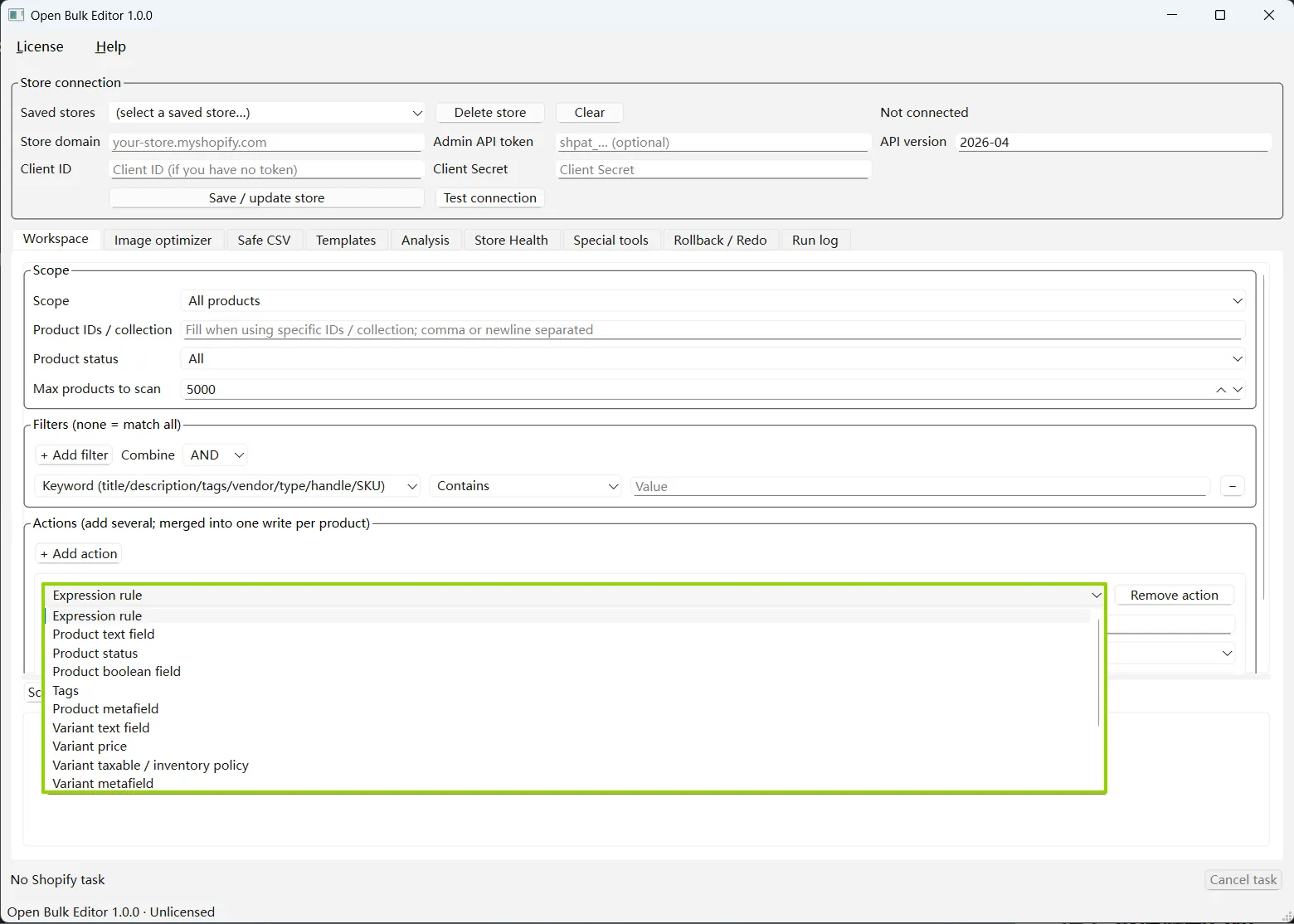
Choose which products belong in the batch
Start with the whole catalog, selected product IDs, or one collection. Limit the scan by product status and a maximum product count, then combine conditions with AND or OR.
Keyword across title, description, tags, vendor, type, handle, and SKU
Title, description, vendor, product type, handle, and tags
SKU, barcode, and variant option value
Metafield value by namespace and key
SEO title, SEO description, and template suffix
Price and inventory quantity
Missing image, empty ALT, no variants, no collection, and duplicate title
Edit prices, descriptions, tags, variants, inventory, and metafields
Add several actions to the same task. The app plans them together so repeated changes to one product can share a smaller set of Shopify writes. An optional condition can decide whether an action applies to a row.
- Product text and SEO fields
- Product status and selling-plan flag
- Tags and product metafields
- SKU, barcode, taxable status, and inventory policy
- Price and compare-at price
- Variant metafields and inventory quantity
- Image ALT and filename
- Restricted expressions and per-action conditions
- Permanent product or variant deletion with typed confirmation
A changed task needs a new preview
Change the store, API version, scope, filters, actions, or other key settings and the preview becomes stale. The app asks for a fresh scan instead of running an old result.
- 01
Choose the scope
Work across the store, selected product IDs, or a collection. Limit the scan by product status when needed.
- 02
Filter and plan
Combine conditions, add several actions, and use optional safe expressions for row-level rules.
- 03
Review the preview
See what will change, deselect rows, export the table, or adjust the task before writing.
- 04
Run with a backup
The app binds the preview to the store and configuration, saves a local journal, then executes the selected rows.
When Shopify's built-in bulk editor is enough
Shopify's built-in table works well for a small set of products and a few visible columns. Open Bulk Editor is designed for jobs that need reusable filters, several actions, a row-by-row preview, local backups, retry, rollback, or a separate CSV workflow. It is a Windows desktop tool and does not replace the editor inside Shopify Admin.
Need to work from a spreadsheet?
Safe CSV uses explicit matching and blank-cell rules, with a separate flow for creating new products.